Showing posts with label facebook. Show all posts

Facebook App Tips And Tricks For Android Phones

Facebook App Tips And Tricks For Android Phones

Let’s face it, many of us still use Facebook daily, be it at home, work or when you’re outside hanging out with your friends. This means that most of the time, you will end up using Facebook on your mobile, and the interface of the mobile app is a little bit more complicated. Some of the features that you’re used to on the desktop may not be available on the app itself.
That’s why we’ve got 15 Facebook Android app tips and tricks to help you out while you’re using the app. Maybe you’ll find that browsing Facebook on the Android app is not that much different from doing it from your desktop after all. If you find any more interesting and hidden features, you can always share it in the comments.

1. Mute Any Messages Notifications

There may be a time when you don’t want to receive messages notifications from one of your Facebook friends, maybe when at the office or at home. Well, you actually have the option of muting notifications from any of your friends and you won’t be notified of their messages unless you unmute them. Follow these steps to mute the messages notifications.
  1. Open Facebook App > Messages.
  2. Tap on the friend that you want to mute future notifications from.
  3. Tap on the navicon icon at the top right and choose Mute notifications.
Mute Any Messages Notifications

How to Change Facebook Theme, Color & Appearance

How to Change Facebook Theme, Color & Appearance 

Tags: Facebook, Facebook Themes, Facebook Tricks

Facebook is a social networking site which enables people to connect with friends and people around. That's how Facebook is usually introduced. However, Facebook is beyond the need of being introduced as almost everyone is on it. Despite its popularity, Facebook has one flaw; the default blue theme is really boring.
Some even consider it an annoyance while visiting Facebook. As Facebook does not allow users to change its theme like MySpace used to, users are left with no other option but to bear the theme Facebook wants them to use.

However, it is relatively easy to change the Facebook theme to a stylish one using an addon and custom themes which are available free of cost on the internet.

An example of the final outcome would be something like in the image.

Change Facebook Theme
This is the Ferrari theme. More themes are available for you to choose.


Requirement: The basic requirement for this to work is to have Mozilla Firefox or Google Chrome as your browser.
Steps to achieve this: If you use Google Chrome, click here. Mozilla Firefox users should carry out the following steps to successfully change Facebook theme.
  1. Open Mozilla Firefox and install 'Stylish' addon.
  2. Follow the basic steps to install the addon.
  3. Restart Firefox after successfully installing the Stylish addon.
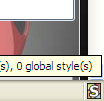
  4. Login to your Facebook Account and click on the small 'S' button in your Firefox status bar.
  5. Click on "Find Styles for this Site" to open a new tab with free themes to use for Facebook.
  6. Click on any theme and a preview will be shown.
  7. If everything is fine in the previewed theme, click on "Install with Stylish" button at the top right corner of the page.
  8. A dialog box will open.
  9. Click on Install in the dialog box.

Steps for Google Chrome
  1. Install Stylish for Chrome from the Chrome Web Store.
  2. Navigate to Facebook.com and click on the S button.
  3. Click on "Find Styles for this Site" to open a new tab with free themes to use for Facebook.
  4. Click on any theme and a preview will be shown.
  5. If everything is fine in the previewed theme, click on "Install with Stylish" button at the top right corner of the page.

Stylish Button


facebook theme change

Install with stylish

Installing Ferrari theme for Stylish Firefox

Now whenever you open Facebook, it will show the theme that you have installed with Stylish instead of the boring old blue theme.
 

How to Change Facebook Theme, Color & Appearance 

Tags: Facebook, Facebook Themes, Facebook Tricks


Copyright @ 2013 MobileTricks.

Designed by PH-MobileTricks